Skip to content
eirenicon llc
  • Welcome
  • Ardens
    • Ardens Public Documentation
    • Artificial Intelligence- Compass
    • The Abyss
    • Lens of Emergent Intelligence
    • Intelligence Amplification Riff
    • Braid Sings, Resists, and Remembers
    • Anomalies in LLM Behavior
  • Irrelevant Thoughts
  • eirenicon Research
    • Intelligence Framework
    • Security Hardening
      • CyberSecurity
  • Contact
  • Toggle website search
Menu Close
  • Welcome
  • Ardens
    • Ardens Public Documentation
    • Artificial Intelligence- Compass
    • The Abyss
    • Lens of Emergent Intelligence
    • Intelligence Amplification Riff
    • Braid Sings, Resists, and Remembers
    • Anomalies in LLM Behavior
  • Irrelevant Thoughts
  • eirenicon Research
    • Intelligence Framework
    • Security Hardening
      • CyberSecurity
  • Contact
  • Toggle website search

Panels & Menus

  1. Home>
  2. Knowledgebase>
  3. Panels & Menus
Read more about the article dwm-xsetroot based status bar

dwm-xsetroot based status bar

  • Post author:ManyRoads
  • Post published:October 2, 2021
  • Post category:Knowledgebase/Panels & Menus/tutorials

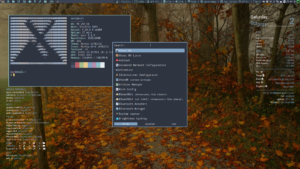
For those who might be looking for an xsetroot approach for use on their dwm status bar, I made some mods (to a script from clusterF on BunsenLabs).  The below…
Continue Readingdwm-xsetroot based status bar
Read more about the article Creating a homogeneous look & feel for multiple window managers- Part 1

Creating a homogeneous look & feel for multiple window managers- Part 1

  • Post author:ManyRoads
  • Post published:November 18, 2019
  • Post category:Distro Respins & Customization/Panels & Menus/tutorials

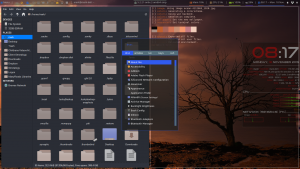
This is the first article in a series. Yes, it is possible to create a homogeneous look across multiple window managers (wm). In this series, I will discuss and demonstrate…
Continue ReadingCreating a homogeneous look & feel for multiple window managers- Part 1
Read more about the article Task Management (across Workspaces & across the entire Desktop)
Single workspace tasks shown on tint2 bar (bottom)

Task Management (across Workspaces & across the entire Desktop)

  • Post author:ManyRoads
  • Post published:August 8, 2019
  • Post category:Panels & Menus/Tiling Window Managers/tutorials

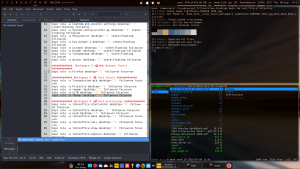
Because I frequently want to know what is active on my current 'workspace,' as well as across all my workspaces, I have enabled and use two tools/approaches: rofi: rofi provides…
Continue ReadingTask Management (across Workspaces & across the entire Desktop)
Read more about the article Lightweight Panels & Menus (examples)
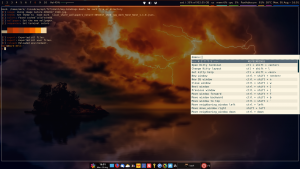
Kittey Terminal w/ Kitty Help

Lightweight Panels & Menus (examples)

  • Post author:ManyRoads
  • Post published:June 24, 2019
  • Post category:Panels & Menus

revised: 20 Dec. 2020 26 Apr. 2023 The following Panels & Menus are intended for Linux/Unix use.  These tools represent a much lighter weight set of panels & menus (consuming…

Continue ReadingLightweight Panels & Menus (examples)

Support us!

Buy Covid Masks ... Buy "Cool" Linux "Stuff".

Recent Posts

  • AI-Powered Genealogy: Free Tools and Tips for Your Family History Journey
  • Expanded Guardrails: Biasing Toward Human-Centric Values
  • Foundations Laid for Adaptive Human-AI Intelligence Amplification
  • Liminal Spaces
  • Securonis- A hardened Desktop for daily use
  • A Checklist to aid in evaluating privacy/security-focused Linux Distros for daily use

Categories

Mark Rabideau Credentials

Mark Rabideau's credentials and background.
Mastodon | CC BY-ND 4.0 - 2001 - 2025 eirenicon llc. - WordPress Theme by OceanWP
Manage Consent
To provide the best experiences, we use technologies like cookies to store and/or access device information. Consenting to these technologies will allow us to process data such as browsing behavior or unique IDs on this site. Not consenting or withdrawing consent, may adversely affect certain features and functions.
Functional Always active
The technical storage or access is strictly necessary for the legitimate purpose of enabling the use of a specific service explicitly requested by the subscriber or user, or for the sole purpose of carrying out the transmission of a communication over an electronic communications network.
Preferences
The technical storage or access is necessary for the legitimate purpose of storing preferences that are not requested by the subscriber or user.
Statistics
The technical storage or access that is used exclusively for statistical purposes. The technical storage or access that is used exclusively for anonymous statistical purposes. Without a subpoena, voluntary compliance on the part of your Internet Service Provider, or additional records from a third party, information stored or retrieved for this purpose alone cannot usually be used to identify you.
Marketing
The technical storage or access is required to create user profiles to send advertising, or to track the user on a website or across several websites for similar marketing purposes.
  • Manage options
  • Manage services
  • Manage {vendor_count} vendors
  • Read more about these purposes
View preferences
  • {title}
  • {title}
  • {title}